
Choose Hug in the style picker and two photos become a clip of 5, 10 or 15 seconds where the people in them embrace, delivered as an MP4 with sound. No account is needed, and the clip is usually ready in under a minute.
No sign-up · Ready in under a minute · Runs in your browser
Sample AI Kiss output clip, looping. Tap the speaker to hear the sound it was generated with.
What you get
- Clip length
- 5, 10 or 15 s
- Format
- MP4
- Typical wait
- Under a minute
- Sound
- Included in the MP4












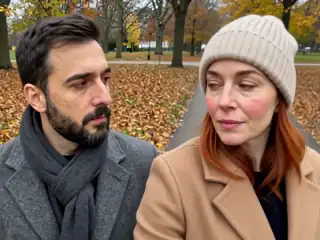
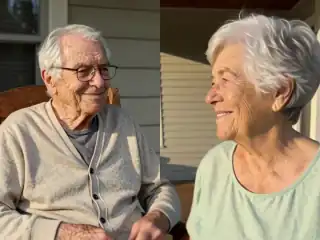
No account
No sign-up, no email, no password.
Photos stay yours
Used for your clip, then deleted.
Stripe checkout
Card details never reach us.
One-time payment
No subscription, nothing renews.
How it works
From two photos to a clip of 5, 10 or 15 seconds
Three steps in the browser. Generation usually takes under a minute.
- Step 1
Pick your two photos
One photo per person, or one photo that already has both people in it. Head and shoulders visible in each is the ideal framing for a hug.
- Step 2
Switch the style to Hug
Choose Hug instead of Kiss in the style picker, then set the frame to 4:3 or 9:16 depending on where the clip will end up.
- Step 3
Generate the clip
The photos are combined into a single keyframe and animated into an embrace. Most videos are ready in under a minute.
- Step 4
Download and keep it
Play the MP4 in the browser, save it to your device, or share it. A failed render refunds every credit it cost automatically, so you can retry.
Details
Photo requirements
Most failed generations come down to the source photos, not the model. These are the ones that matter.
- One person per photo in two-photo mode, or one photo showing both people.
- Head and shoulders in frame. Tightly cropped face-only photos leave no room for arms.
- Faces towards the camera, in even light, with the eyes clearly visible.
- JPG, PNG or WebP, as sharp as you can find. Scans of old prints work if they are in focus.
- For the younger-self trend, an old photo and a current photo of the same person.
- Your own photos and adults who agreed. No minors, and no public figures without consent.
What the hug style does
Hug is one of fifteen styles in the app, and one of the three most used next to Kiss and French kiss. Instead of bringing the two faces together for a kiss, it animates an embrace: arms coming around, heads tilting towards each other, a small settle at the end. The clip runs for the 5, 10 or 15 seconds you chose and arrives as an MP4 with sound.
It is the style people reach for when a kiss would be wrong. Parents and grown-up children, siblings, best friends, grandparents who are no longer around, a pet owner and a pet that has died. The mechanics are identical to the AI kiss generator: one keyframe built from your photos, one generation, one download. Only the direction given to the model changes, and you choose it before you press generate.
Hug my younger self: how the trend works
The hug your younger self trend is one person appearing twice in the same clip, present-day them holding the child or teenager they used to be. It reads as a small act of repair, which is why it spreads so widely, and it is the single most common reason people look for an AI hug generator at all.
The recipe is simple. Use two-photo mode. In one slot put an old photo of yourself, a childhood picture, a school photo, a scanned print. In the other slot put a recent photo. Choose Hug, pick 9:16 if it is going to a Story or a Reel, and generate. The app puts one image in each half of the frame and animates them into an embrace, so you end up standing with your younger self rather than next to a copy of your own face.
Two practical notes. First, the old photo does the heavy lifting, so pick the sharpest scan you have rather than the most sentimental blurry one. Second, try to match the framing: if the childhood photo is head and shoulders, use a head and shoulders photo of yourself today rather than a full-body shot. There is a longer walkthrough in the hug your younger self post.
Is there a free AI hug generator?
Not on this site. AI Kiss charges once per video, with no subscription, no account and no email address. Other tools do offer free daily credits if you make an account, and some of them watermark free output until you upgrade.
Which is better depends on what you actually mind. A free daily credit costs you a registration, an email address and whatever queue the free tier sits in. A flat per-video price costs money and nothing else: no plan to cancel, no marketing list, no watermark on the finished file. The no-login page sets out exactly what is free here, and the comparison records what each competing tool states on its own page.
Choosing photos for a hug clip
Framing matters more for hugs than for kisses. An embrace needs shoulders and ideally a bit of upper arm, so a photo cropped tightly to the face gives the model nowhere to put the arms and often produces something awkward. Head and shoulders, or head to mid-chest, is the sweet spot.
Keep the two photos consistent with each other. Similar brightness, similar distance from the camera, similar sharpness. A daylight photo paired with a dim indoor one will look like two pictures glued together no matter how good the animation is. Old scanned prints are fine and often the whole point, but scan them flat, in focus and without heavy glare.
Faces should point roughly at the camera with eyes visible. Sunglasses, deep shadow across the eyes and strict side profiles all reduce how much the model has to work with. The full list lives in the photo requirements guide.
Who uses hug videos and why
Beyond the younger-self trend, the recurring uses are family and distance. A grandparent and a grandchild who live on separate continents. A photo of someone who has died, brought together with a recent photo of the person who misses them. Two friends who never got a picture together before one of them moved away.
These clips tend to land harder than kiss clips, and they are also more personal, so think about where they go. A hug video of a late relative is a private keepsake for most people, not a post. If you are sharing publicly, ask everyone who appears in it first, and be honest in the caption that it is AI. Audiences are far more forgiving of an AI clip that is labelled than one they discover for themselves.
You can see finished clips on the examples page before committing to your own.
What it cannot do
It cannot recover detail that is not in the photo. A blurry, low-resolution or badly scanned old picture stays blurry in the clip. It cannot fix a strict side profile either, because the far side of the face has to be invented and invented faces are the ones that look wrong.
Group photos with three or more people confuse who is hugging whom, so crop to two before you upload. Very different photo styles, such as a faded 1980s print next to a bright modern selfie, often produce a clip that reads as a collage rather than one moment. Converting both photos to a similar look before uploading helps, but it does not always fix it.
Arms and hands are the hardest part of any hug generation, so expect the occasional odd finger or sleeve. If a render fails outright, the credit returns automatically and you can retry with different photos at no extra cost.
Consent & safety
An AI kiss video puts two real faces in a scene that never happened. That only works if everyone in the frame is fine with it, so these rules are not optional.
Only photos you are allowed to use
Use photos of yourself, or of people who agreed to appear in the video. No public figures without their consent.
No minors, ever
AI Kiss is for adults and the people they have permission to include. Photos of children are not allowed.
Nothing explicit
The generated clip is a short, PG-style kiss or hug. Sexual, hateful or harassing content is against the Terms.
Your files, your call
Photos are uploaded to generate the clip and videos are stored on your anonymous account. Ask us to delete them and we will.
Full detail lives in the Terms of Service and the Privacy Policy. Deletion requests go to privacy@aikiss.app.
FAQ
Questions people actually ask
How do I make an AI hug video?
How do I hug my younger self with AI?
Is the AI hug generator free?
Can I use an old scanned photo?
How long is the hug video?
Can I make a hug video of someone who has died?
Why do the arms look wrong in my clip?
Keep reading
Related pages
Other tools
From the blog
- The Hug Your Younger Self AI Trend, ExplainedHow the hug your younger self AI trend works: one childhood photo, one recent photo, the Hug style, and the tips that make old scanned prints animate well.
- AI Kiss Photo Requirements: Why Generations FailFace size, angle, lighting, resolution, glasses and group shots decide whether an AI kiss video works. What to look for, why it matters, and a checklist.
- 25 AI Kiss Video Ideas Worth Actually MakingTwenty-five AI kiss and hug video ideas grouped by occasion, each with a one-line tip on how to shoot or pick the two photos so the generation holds together.
Ready to try it?
Upload two photos, pick a style, and get a short clip back in under a minute.