
When you are in different cities, you rarely have a photo of the two of you together, let alone a video. AI Kiss takes one selfie from each of you, puts you in the same frame, and animates a kiss, a hug, a slow dance or another moment into a short MP4 with sound that you can send straight to each other.
No sign-up · Ready in under a minute · Runs in your browser
Sample AI Kiss output clip, looping. Tap the speaker to hear the sound it was generated with.
What you get
- Photos needed
- One of each of you
- Clip length
- 5, 10 or 15 s
- Shape
- 9:16 or 4:3
- Format
- MP4 with sound
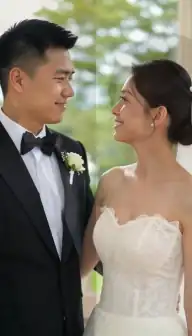


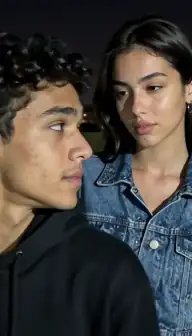
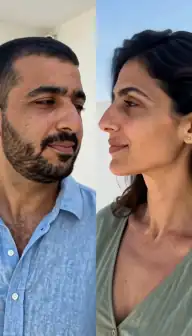
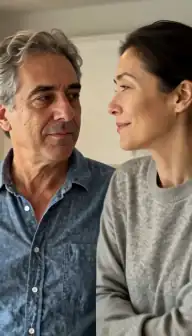

No account
No sign-up, no email, no password.
Photos stay yours
Used for your clip, then deleted.
Stripe checkout
Card details never reach us.
One-time payment
No subscription, nothing renews.
How it works
From two photos to a clip of 5, 10 or 15 seconds
Three steps in the browser. Generation usually takes under a minute.
- Step 1
Each of you takes a selfie
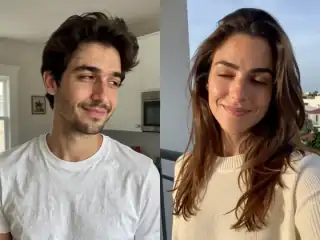
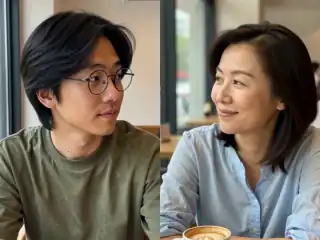
Same time of day if you can, facing a window, phone at eye level. Ask for the photo rather than taking one from their profile.
- Step 2
Add both photos
One photo per slot. The app places them side by side and turns them into a single scene, so you never have to cut anyone out.
- Step 3
Pick a style and the 9:16 shape
Kiss, Hug, Hold hands or Slow dance; 9:16 fills a phone screen in a chat or a Story.
- Step 4
Send the MP4
Download the clip and send it in WhatsApp, iMessage, Telegram or wherever you talk. It is an ordinary video file.
Details
Photo requirements
Most failed generations come down to the source photos, not the model. These are the ones that matter.
- One recent photo of each of you, face towards the camera, eyes visible.
- Similar light in both: two daylight selfies beat one daylight and one late-night shot.
- Similar framing: both head and shoulders, both at roughly eye level.
- Nothing over the mouth or eyes: no hands, sunglasses or masks.
- Your partner's photo with your partner's agreement. That is the rule for every clip, and it matters more when the video is about them.
What this is, and what it is not
It is a short, made-up moment: two real faces, from two separate photos, shown together in one invented scene. For a couple who spends most of the year on video calls, a clip of the two of you hugging can be a surprisingly nice thing to have on your phone.
It is not a memory, and it does not pretend to be. The background, the movement and the sound are generated, and the clip is 5, 10 or 15 seconds long. It works best as a small gesture (a good-morning message, a countdown to the next visit) rather than as a substitute for the real thing.
Getting two selfies to look like one moment
The biggest giveaway in a two-photo clip is mismatched light: one face lit by a warm lamp, the other by a cold window. The model merges both photos into one continuous scene, but it starts from what you give it, so the closer the two photos are, the more natural the result.
- Agree on the light. Both face a window in daytime. Avoid one indoor-night photo and one outdoor-day photo.
- Agree on the framing. Both head and shoulders, phone held at eye level, about an arm's length away.
- Use fresh photos. A selfie taken today looks like the person now; a profile picture may be years old and heavily filtered.
- Skip the filters. Beauty filters and heavy edits fight the model and usually make the clip look less like you. More on this in making it look like you.
Which styles feel right at a distance
A full kiss is the obvious choice, but many long-distance couples find the quieter styles land better, because they feel like being together rather than a performance. All of them are described on the video styles page.
| Style | When it fits |
|---|---|
| Hug | The one most people miss: a long, warm hug, eyes closed |
| Hold hands | Low-key, for a good-morning or good-night message |
| Cuddle | Head on a shoulder, for the end of a long week apart |
| Slow dance | An anniversary spent in different time zones |
| Kiss or Forehead kiss | The countdown to a visit, or the day after one |
| Selfie | A fake "together" photo moment, playful rather than romantic |
Sending it
The finished clip is an MP4 that downloads to your phone like any other video, so it can be sent through any messaging app. Choose 9:16 if it will be watched on a phone, which is almost always the case in a chat. The sound is part of the file, so it plays wherever the video plays.
Nothing is installed on either phone. You make the clip in the browser, and your partner just receives a video. There is also no account to share: the clip appears in My videos in the browser where you made it, and you can save the account with Google or email later if you want it on another device.
Doing it together, from two places
Because only the person making the clip needs the app, the easiest way is for one of you to collect both photos and make it. If you both want to try styles, each of you can make your own from the same two photos: there is nothing to sync and no shared account to set up.
If you want a bigger gesture, make several short clips in different styles and join them in any video editor, or keep one for each month you are apart. The ideas post has more, including a whole section on long distance and reunions.
Consent & safety
An AI kiss video puts two real faces in a scene that never happened. That only works if everyone in the frame is fine with it, so these rules are not optional.
Only photos you are allowed to use
Use photos of yourself, or of people who agreed to appear in the video. No public figures without their consent.
No minors, ever
AI Kiss is for adults and the people they have permission to include. Photos of children are not allowed.
Nothing explicit
The generated clip is a short, PG-style kiss or hug. Sexual, hateful or harassing content is against the Terms.
Your files, your call
Photos are uploaded to generate the clip and videos are stored on your anonymous account. Ask us to delete them and we will.
Full detail lives in the Terms of Service and the Privacy Policy. Deletion requests go to privacy@aikiss.app.
FAQ
Questions people actually ask
Can AI make a video of me and my long-distance partner together?
Do we both need to be in the same photo?
How do I make the clip look natural?
Can I send the video in WhatsApp?
Does my partner need to install anything?
Is it okay to use my partner's photo?
Keep reading
Related pages
From the blog
- 25 AI Kiss Video Ideas Worth Actually MakingTwenty-five AI kiss and hug video ideas grouped by occasion, each with a one-line tip on how to shoot or pick the two photos so the generation holds together.
- How to Make an AI Kissing Video From 2 PhotosThe exact two-photo workflow for making people kiss with AI: one person per photo, matching light and angle, choosing the aspect, cost, and fixing failures.
- AI Kiss Photo Requirements: Why Generations FailFace size, angle, lighting, resolution, glasses and group shots decide whether an AI kiss video works. What to look for, why it matters, and a checklist.
Ready to try it?
Upload two photos, pick a style, and get a short clip back in under a minute.