
If you came to Boom AI for the advert where two photos hug or kiss and could not find that feature, the fix is a tool that takes two photographs as its only input. AI Kiss does exactly that in the browser, with no account and one payment per video. EaseMate and Vidnoz are the alternatives to try if you want something at no cost, DreamFace and MagicShot if you specifically want an installed app, and Fotor if you need control over resolution and length. The whole list, and what each one publishes about itself, is below.
No sign-up · Ready in under a minute · Runs in your browser
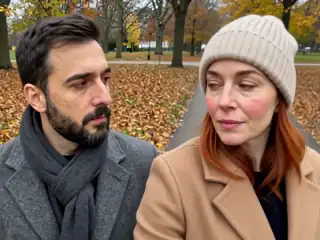
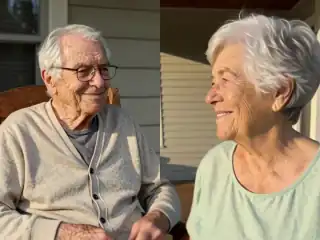
Sample AI Kiss output clip, looping. Tap the speaker to hear the sound it was generated with.
What you get
- Alternatives listed
- 7 plus us
- Facts from
- Their own pages
- Boom AI tested
- No, reviews only
- Rows we win
- One of five
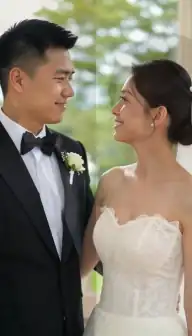


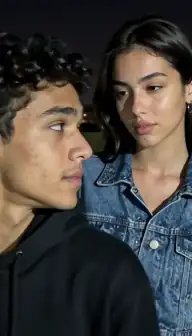
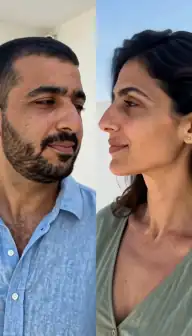
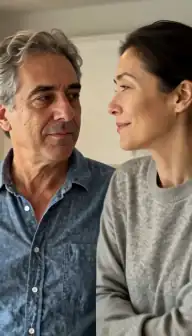
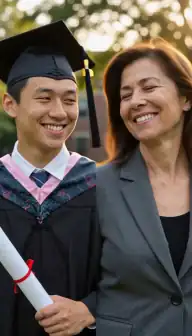

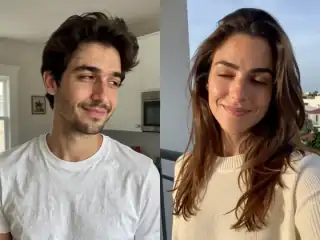

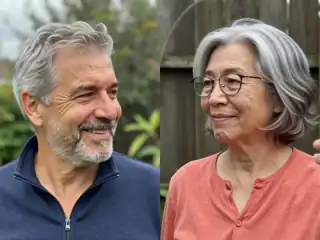
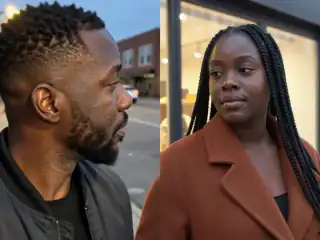
No account
No sign-up, no email, no password.
Photos stay yours
Used for your clip, then deleted.
Stripe checkout
Card details never reach us.
One-time payment
No subscription, nothing renews.
How it works
From two photos to a clip of 5, 10 or 15 seconds
Three steps in the browser. Generation usually takes under a minute.
- Step 1
Decide what Boom AI was missing for you
Your own photos rather than generated people, no subscription, a longer clip, or a real app. Different alternatives answer different ones, and none of them answers all four.
- Step 2
Check what the tool says about itself
Every claim in the table below comes from that brand's own page on the date recorded. Read the source before you pay, because free tiers and prices in this category change often.
- Step 3
Run the same two photos through your shortlist
Output quality depends far more on your photographs than on the brand, so a like-for-like test with one pair of photos tells you more than any roundup can.
Details
Photo requirements
Most failed generations come down to the source photos, not the model. These are the ones that matter.
- Two photos with one clear face each, or one photo that already contains both people.
- Front-facing, sharp, evenly lit faces with the eyes visible.
- JPG, PNG or WebP. Most of the tools on this page accept the same formats.
- Two photos that match each other on brightness, distance and image quality.
- Your own photos, of adults who agreed. No minors, and no public figures without consent.
What Boom AI's own reviewers say is missing
We did not test Boom AI. What follows is quoted from its public App Store reviews, read on 13 September 2026, as complaints people wrote on a date rather than as a description of what the app does today. The reason it is worth quoting at all is the concentration: the app carries 3,833 ratings and a 4.6 lifetime average, but 45 of the 50 most recent reviews we read are one or two stars, which is the steepest recent-sentiment drop of any app in this niche.
The most detailed one is also the clearest statement of what people in this category actually want:
"I just saw one of their ads. It said you can take two photos and make them hug and kiss. This is false advertising. You can not use your own photos for this. The only option now is to write a text prompt and the app will generate the subjects for you. There is no way I can find to use your own photos."
Others in the same set: "There is no kissing at all on here anymore. The French kissing was weird." · "This app does NOT let you use prompts to create a video. Do not believe the fake ads. It is ONLY for use with their pre-selected templates." · "Literally nothing is free" · "Expensive for only 6 second videos" · "I need an email to contact you but can't even get that."
Those last two quotes contradict each other on a basic point — one reviewer says the app is prompt-only, another says it is templates-only — which is a fair warning about reading reviews at all. The most likely explanation is that the app changed between the two, which is exactly why nothing on this page states a Boom AI feature, tier or price as fact. Check their listing yourself before deciding anything.
The alternatives, and what each one publishes
Every row comes from that brand's own page, read on the date in the last column, or from its App Store listing. Where a page does not state something, the row says so rather than guessing. Prices move constantly in this category, so treat any figure as a pointer to their page rather than as today's number.
| Tool | What it states about itself | Checked |
|---|---|---|
| AI Kiss | Two photos in, those two faces out, in the browser with no account. 5, 10 or 15 seconds, MP4 with sound at 768p, no watermark. One payment per video, no plan required, credits never expire, failed generations refunded. No free tier. | In use |
| EaseMate | "You'll receive 30 free credits each day, allowing you to create 2 kiss videos with AI." Credits arrive once you log in, so an account is part of the flow. | 3 Sep 2026 |
| Vidnoz | One free AI kissing video per day, with watermark removal offered on an upgrade. Web-based, account required. | 3 Sep 2026 |
| DreamFace | Nine kiss effects, with web, iOS and Android apps. Their page does not state price, limits or clip length. | 3 Sep 2026 |
| Fotor | Duration adjustable from 3 to 15 seconds, 720p, 1080p and 4K, and 16:9, 9:16 and 1:1. Free credits for newly registered accounts; no prices on the kiss page itself. | 3 Sep 2026 |
| MagicShot | A Kissing Booth feature sold inside a monthly plan from $9, 1080p export, and a real iPhone app (4.13 stars from 452 ratings). The only competitor here with a working store app. | 13 Sep 2026 |
| DomoAI | Animates drawings and anime as well as photographs, on a free plan with credits, plans from $9 a month billed annually, watermark-free on every paid tier. Asks for one photo containing both people. | 13 Sep 2026 |
| AIReel | 28 named kiss presets, the widest menu anywhere in this list, plus an Android app. States no clip length and publishes no readable price. | 13 Sep 2026 |
Which one to pick, ranked honestly
AI Kiss is the product this site sells, so it gets one row: the row it actually wins. The other four send you somewhere else.
| If Boom AI failed you on | Go to | Because |
|---|---|---|
| Using your own two photos | AI Kiss | Two photographs are the only input. No prompt-only mode, no template gallery, no generated stand-ins. |
| Cost, before anything else | EaseMate | Their page states 30 free credits a day after login, which it describes as about two kiss videos. AI Kiss has no free tier at all. |
| Wanting a real app on your phone | MagicShot or DreamFace | MagicShot has a rated iPhone app; DreamFace lists iOS and Android. AI Kiss is web-only, so if an installed app is the requirement, it is the wrong answer. |
| Resolution or clip length | Fotor | Their page states 3 to 15 seconds and up to 4K. AI Kiss offers 5, 10 or 15 seconds at 768p and nothing beyond that. |
| Variety of kiss styles | AIReel or DreamFace | 28 named presets and nine effects respectively, against fifteen styles plus a custom prompt here, of which the kiss and hug ones are what most people use. |
What AI Kiss does instead
The narrow version, so there is nothing to discover afterwards. You upload one photo of each person, or one photo with both of them in it. Those two images are composed into a single frame inside your browser, and a model animates that frame into a kiss, a French kiss, a hug, one of twelve other styles, or whatever you write in the custom prompt box. You choose 5, 10 or 15 seconds and 4:3 or 9:16 before generating. What comes back is an MP4 with its own sound track at 768p, with no watermark, usually in under a minute.
There is no account, no email address and no app to install. Payment is per video rather than per month, credits do not expire, and a generation that fails returns every credit it cost automatically. Two of the complaints quoted at the top of this page — nothing is free, and no way to reach support — are worth answering directly: there genuinely is no free tier here, which is stated on the pricing page rather than discovered at a paywall, and support is a human email address published on the contact page.
The limits are equally short. Web only, so there is no app in either store today. 768p, so a competitor offering 1080p or 4K beats it on resolution. No free clip to try first, which is the honest cost of not running a trial. And no promise about how closely the result resembles you, because that is decided by your photographs and nobody can promise it.
Before you switch anything, cancel what you have
If you are leaving an AI video app you subscribed to through the App Store, deleting the app does not stop the billing. The subscription lives in your Apple account: iPhone Settings, your name at the top, then Subscriptions. On Android it is in the Play Store app under Payments and subscriptions. Cancelling there takes effect at the end of the period you have already paid for.
This is worth a paragraph because it is the single most common complaint pattern in the whole category and it is not specific to any one app. Sixty-five of the one- and two-star reviews we read are about being unable to cancel something, and many of them describe deleting the app and continuing to be charged.
Nothing here needs that step. There is no plan to take in the first place, and nothing to install, so the exit is closing a tab.
How this page was made
Boom AI's reviews were read from Apple's public review feed for the US App Store on 13 September 2026, as part of a larger pull of 1,914 reviews across 52 apps in this category. The 50 most recent reviews are what the feed returns per app, so the 90% figure is a recent-sentiment measure and not a lifetime one: the app's lifetime average is 4.6 and both numbers are stated here for that reason.
Everything said about the other seven tools comes from that tool's own public page, read on the date in the table, and is recorded in full on the linked comparison. Nothing was taken from affiliate roundups, and no price, feature or limit appears here that was not printed on the source.
Nothing was tested head to head on output quality, because the quality of any of these tools is decided far more by your two photographs than by the brand. If you are choosing between two of them, run the same pair through both.
One by one
Every alternative, compared in full
Each page lists what that tool states on its own site, the date we checked it, and a link back to the source.
- Vidu vs AI KissVidu runs a free AI kissing generator with monthly credits and several kiss templates.Read the comparison
- Fotor vs AI KissFotor's AI kiss page sits inside a broad AI video generator with adjustable duration and resolution.Read the comparison
- EaseMate vs AI KissEaseMate publishes the clearest free tier of any tool we checked: 30 credits a day after you log in, which their page says is about two kiss videos.Read the comparison
- Pollo AI vs AI KissPollo AI is a broad AI video platform rather than a kiss specialist.Read the comparison
- Clipfly vs AI KissClipfly is a general AI video platform.Read the comparison
- Vidnoz vs AI KissVidnoz gives one free AI kissing video a day and ties watermark-free output to upgrading.Read the comparison
- DreamFace vs AI KissDreamFace lists nine kiss variations and offers native iOS and Android apps alongside the web version.Read the comparison
- Flux1 AI vs AI KissFlux1 AI is a multi-model web studio whose kissing generator gives newly registered users 10 free credits, which their page says is exactly one free kiss video.Read the comparison
- DomoAI vs AI KissDomoAI is a broad AI video platform whose kiss template also animates drawings and anime characters, and it states a free plan with credits.Read the comparison
- AIReel vs AI KissAIReel has the deepest preset library of any kiss tool we have checked, 28 named kiss scenes, and states a free trial of 200 credits.Read the comparison
- MagicShot vs AI KissMagicShot's Kissing Booth is one tool inside a large subscription suite with published monthly prices and an iPhone app.Read the comparison
- AIKissfiy vs AI KissAIKissfiy, the site people often search for as aikissfly or aikissfy, is a free-to-start web kiss generator with seventeen kiss styles whose generator defaults to a four-second clip at 540P.Read the comparison
- Vireel vs AI KissVireel, whose site also writes itself as Vireels, offers kiss clips of 5, 10 or 15 seconds with sound, daily free credits and fourteen site languages.Read the comparison
Consent & safety
An AI kiss video puts two real faces in a scene that never happened. That only works if everyone in the frame is fine with it, so these rules are not optional.
Only photos you are allowed to use
Use photos of yourself, or of people who agreed to appear in the video. No public figures without their consent.
No minors, ever
AI Kiss is for adults and the people they have permission to include. Photos of children are not allowed.
Nothing explicit
The generated clip is a short, PG-style kiss or hug. Sexual, hateful or harassing content is against the Terms.
Your files, your call
Photos are uploaded to generate the clip and videos are stored on your anonymous account. Ask us to delete them and we will.
Full detail lives in the Terms of Service and the Privacy Policy. Deletion requests go to privacy@aikiss.app.
FAQ
Questions people actually ask
What is the best Boom AI alternative for using your own photos?
Is there a free Boom AI alternative?
Does AI Kiss have an iPhone app like Boom AI?
Why do Boom AI's reviews contradict each other?
How do I cancel a subscription before switching?
Which alternative makes the longest clips?
What does AI Kiss cost?
Keep reading
Related pages
Other tools
From the blog
- What Is an AI Kiss Video? A Plain ExplanationAn AI kiss video animates two still photos into a short clip of two people kissing. Here is how the models work, what the output looks like, and where it fails.
- AI Kiss App Features: An Honest TourEvery feature in the AI Kiss app, plainly: the two upload modes, the style row, three clip lengths, the gallery, retries and refunds, and what it cannot do.
- 25 AI Kiss Video Ideas Worth Actually MakingTwenty-five AI kiss and hug video ideas grouped by occasion, each with a one-line tip on how to shoot or pick the two photos so the generation holds together.
Ready to try it?
Upload two photos, pick a style, and get a short clip back in under a minute.