
AI Kiss is a web app, so it opens in Safari, Chrome or any other browser on iPhone, Android and desktop with nothing to download. There is no sign-up and no account, and a finished clip is usually back in under a minute.
No sign-up · Ready in under a minute · Runs in your browser
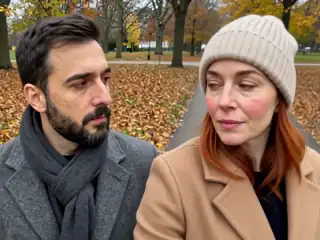
Sample AI Kiss output clip, looping. Tap the speaker to hear the sound it was generated with.
What you get
- Clip length
- 5, 10 or 15 s
- Format
- MP4
- Typical wait
- Under a minute
- Sound
- Included in the MP4













No account
No sign-up, no email, no password.
Photos stay yours
Used for your clip, then deleted.
Stripe checkout
Card details never reach us.
One-time payment
No subscription, nothing renews.
How it works
From two photos to a clip of 5, 10 or 15 seconds
Three steps in the browser. Generation usually takes under a minute.
- Step 1
Open the app in your browser
Go to the app on your phone or computer. It loads like any web page and signs you in anonymously, so there is nothing to install and no account to create.
- Step 2
Add it to your home screen
On iPhone use Share then Add to Home Screen. On Android use the browser menu then Add to Home screen. It gets an icon and opens full screen.
- Step 3
Upload photos and generate
Pick two photos or one photo with both people, choose the frame and the style, and generate. Photos are resized on your device before upload.
- Step 4
Save the MP4
The clip appears under My videos in under a minute. Download it to your camera roll or files, or share it straight from the browser.
Details
Photo requirements
Most failed generations come down to the source photos, not the model. These are the ones that matter.
- Any modern browser: Safari on iPhone or iPad, Chrome on Android, or Chrome, Safari, Edge or Firefox on desktop.
- Two photos with one face each, or one photo showing both people.
- JPG, PNG or WebP files from your camera roll, your files app or your desktop.
- Front-facing, sharp, evenly lit faces. Blur and side profiles are what break results.
- Your own photos and adults who agreed. No minors, no public figures without consent.
It is a web app, not a download
AI Kiss lives at a web address rather than in an app store. You open the app in the browser you already have and you are in: no download, no update to install, no permissions dialog and no account. The first time it loads it creates an anonymous session for your browser, which is what holds your video library and your credit balance.
That covers essentially every device people ask about. Safari on an iPhone or iPad, Chrome or Samsung Internet on Android, and Chrome, Safari, Edge or Firefox on a Mac, Windows PC or Chromebook. The layout adapts: a single stacked column on a phone, and a two-column view on a wide screen with the upload card on the left.
The heavy lifting happens on the device before anything leaves it. Your photos are resized and combined into a single keyframe image in the browser, so what gets uploaded is one modest file rather than two full-resolution camera photos. On a phone connection that difference is the whole experience.
Adding it to your home screen
If you want an icon on your phone the way a store app has one, add the page to your home screen. On iPhone, open the app in Safari, tap the Share button, scroll down and tap Add to Home Screen. On Android, open it in Chrome, tap the three-dot menu and choose Add to Home screen or Install app.
You get an icon on your home screen that opens the app full screen, without the browser address bar. It behaves like an installed app for day-to-day use while still being a web page, which means it is always up to date and it never asks you to install an update.
One thing to know: your video library lives in the browser session that created it. If you add the app to your home screen after generating some videos, or switch from Safari to Chrome, you may start a fresh session. Download the MP4 when it is ready rather than treating the library as long-term storage.
Are there App Store and Google Play versions?
Not right now. The store listings are offline, so the honest answer is that the browser app is the app today. There is no iOS download and no Android APK to install, and you should be wary of anything claiming to be an official AI Kiss app elsewhere.
In practice this changes very little. Everything the app does happens in the browser anyway: uploading photos, choosing a style, paying with Apple Pay or Google Pay, downloading the finished MP4 to your camera roll. The only thing you give up is the store icon, and Add to Home Screen replaces that in about ten seconds.
If store versions come back, this page will say so. It will not quietly link to a dead listing in the meantime.
Is there a free AI kiss app?
Not this one. AI Kiss charges once per video, and there is no subscription, no in-app purchase bundle and no plan attached to anything. Because there is no account, there is also no way for a charge to renew quietly in the background, which is the usual complaint about kiss apps on the stores.
Free kiss apps do exist and most of them run on the same model: register, receive a daily or monthly credit allowance, and either watch an ad or upgrade to remove a watermark. If that suits you, it is a fair deal. The no-login page sets out precisely what is free here, and the comparison page records what each of the well-known tools states on its own site.
What the app can do
Two input modes: two photos with one person in each, or one photo that already has both people in it. Two aspect ratios: 4:3 for a wider frame or 9:16 for a full vertical clip. Fifteen styles in a scrollable row plus a custom prompt box, of which Kiss, French kiss and Hug are the ones most people use, each described on its own page at French kiss and hug.
Beyond generation there is a My videos screen with every clip from the current session, a Retry button on anything that failed, a download and share flow for finished clips, and a settings screen with your remaining credits, a promo code field and an invite link. Payment runs through Stripe with Apple Pay, Google Pay or a card, so card details never touch this site.
There is a fuller tour in the app features post, and finished clips to look at on the examples page.
What it cannot do
There is no offline mode, because generation happens on a server. There is no editing after the fact: each generation is one take of the length you chose, and changing the style means running it again. The length choice is 5, 10 or 15 seconds and nothing longer, the sound is rendered by the model rather than picked by you, and there is no way to keep generating variations of the same clip for free.
The input limits are the same as everywhere else on this site. Blurry faces stay blurry, strict side profiles confuse the model, group photos with three or more people are ambiguous, and two photos shot in very different light produce a clip that reads as two images rather than one scene.
Finally, your library is tied to the browser session that made it, so it does not sync between your phone and your laptop. Save the file when you get it. When a generation fails, the credit is returned automatically and you can retry from My videos.
Consent & safety
An AI kiss video puts two real faces in a scene that never happened. That only works if everyone in the frame is fine with it, so these rules are not optional.
Only photos you are allowed to use
Use photos of yourself, or of people who agreed to appear in the video. No public figures without their consent.
No minors, ever
AI Kiss is for adults and the people they have permission to include. Photos of children are not allowed.
Nothing explicit
The generated clip is a short, PG-style kiss or hug. Sexual, hateful or harassing content is against the Terms.
Your files, your call
Photos are uploaded to generate the clip and videos are stored on your anonymous account. Ask us to delete them and we will.
Full detail lives in the Terms of Service and the Privacy Policy. Deletion requests go to privacy@aikiss.app.
FAQ
Questions people actually ask
Is there an AI Kiss app for iPhone?
Is there an AI Kiss app for Android?
Do I need to install anything?
Is the AI kiss app free?
Which browsers does it work in?
Will my videos be there if I come back later?
Is there an AI app that makes people kiss from any photo?
Keep reading
Related pages
Other tools
From the blog
- AI Kiss App Features: An Honest TourEvery feature in the AI Kiss app, plainly: the two upload modes, the style row, three clip lengths, the gallery, retries and refunds, and what it cannot do.
- What Is an AI Kiss Video? A Plain ExplanationAn AI kiss video animates two still photos into a short clip of two people kissing. Here is how the models work, what the output looks like, and where it fails.
- AI Kiss Privacy and Safety: What Happens to Your PhotosWhere your uploads go, what the Privacy Policy says about keeping them, how to ask for deletion, and the consent rules that decide whose face you may animate.
Ready to try it?
Upload two photos, pick a style, and get a short clip back in under a minute.