
AI Kiss runs in the browser that is already on your phone. Open it in Safari, Chrome or anything modern, upload two photos, pick a style and a length, and an MP4 with sound comes back in under a minute. There is no App Store or Play Store download, no account, no permissions dialog, and nothing that can keep billing you after you have stopped using it.
No sign-up · Ready in under a minute · Runs in your browser
Sample AI Kiss output clip, looping. Tap the speaker to hear the sound it was generated with.
What you get
- Install size
- Nothing
- Store account
- Not needed
- Works on
- iPhone, Android, desktop
- To cancel
- Close the tab



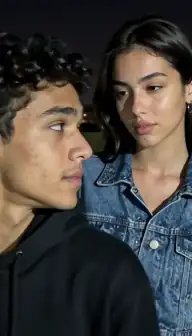








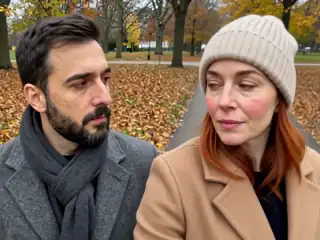

No account
No sign-up, no email, no password.
Photos stay yours
Used for your clip, then deleted.
Stripe checkout
Card details never reach us.
One-time payment
No subscription, nothing renews.
How it works
From two photos to a clip of 5, 10 or 15 seconds
Three steps in the browser. Generation usually takes under a minute.
- Step 1
Open the page
Tap through to the app on this site. It loads like any other web page, on iPhone, Android, Mac or Windows. Nothing installs.
- Step 2
Pick photos from your camera roll
The upload button opens the normal photo picker. Choose one photo of each person, or a single photo with both, and nothing else on your device is touched.
- Step 3
Choose style, shape and length
Kiss, French kiss, hug or one of the other styles; 4:3 or 9:16; 5, 10 or 15 seconds. The cost is shown before you pay.
- Step 4
Download the MP4 and close the tab
The file saves to your device like any other download. Closing the tab ends it: there is no background app and nothing left running.
Details
Photo requirements
Most failed generations come down to the source photos, not the model. These are the ones that matter.
- A browser from the last few years: Safari or Chrome on iPhone, Chrome or Samsung Internet on Android, any modern desktop browser.
- Two photos with one clear face each, or one photo containing both people.
- No App Store or Google Play account, and no store password.
- No camera, contacts, location or notification permissions. The photo picker is the only access needed.
- Your own photos, of adults who agreed. No minors, no public figures without consent.
What running in a browser actually changes
Most of the difference is not convenience, it is what cannot happen to you. There is no store subscription attached to a browser tab, so nothing renews through your Apple or Google account. There is no installed app sitting in the background. There is no permissions prompt, because the only thing the page needs is the photo you hand it through the picker. And when you are finished, closing the tab is the whole of the exit process.
The practical side is real too. Nothing to download on a slow connection, no 200 MB update before you can use it, and the same page works on your phone and your laptop. The photos are resized and combined into a single frame in your own browser before anything is uploaded, so the full-size originals never leave your device.
What you give up is honest to state: there is no offline mode, because generation happens on a server, and there is no home-screen icon unless you add one yourself, which takes two taps and still installs nothing.
The field this is an alternative to
On 13 September 2026 we pulled every app the US App Store returns for "ai kiss" and "ai hug" and read the reviews they publish. Seven apps whose names are built out of those exact words average under three stars, the lowest of them at 1.6. That is unusual. Most app categories do not have their exact-match keyword held by a row of one- and two-star products.
Reading the one- and two-star reviews explains why, and almost none of it is about the videos. The complaints are about the wrapper: a paywall before anything can be tried, a trial that charged on day one, a plan that could not be cancelled, a charge nobody recognised. Those are all store-subscription mechanics rather than model failures.
That is the gap this page is standing in. AI Kiss is not better at generating video than a well-funded app; it is a web page, so the specific things those reviews describe have nowhere to happen.
What reviewers of other apps report
Verbatim quotes from public App Store reviews of other AI photo and video apps, read on 13 September 2026, and quoted as complaints made on a date rather than as claims about what any app does today. Two clusters, and both of them are about billing rather than output.
Surprise and repeat charges, 85 reviews: "Was charged $11.99 without purchase." · "They keep trying to charge my account 19.99 several times a day." · "They took my money without authorization" · "Tried to do the 3 day free trial was double subscribed and won't let me unsubscribe."
Cancellation, 65 reviews: "Impossible to cancel subscription", which is a verbatim review title that appears twice on the same app · "I canceled and they still charging me now 5 months" · "they make it so hard to cancel and still try to charge your bank after canceling" · "The app glitches when you cancel and locks you into the subscription."
Every one of those runs through a store subscription living in the reviewer's Apple or Google account. There is no equivalent object here: payment happens once, through Stripe, at the moment you choose to buy credits, and there is no plan you have to take.
Browser against app, without the sales pitch
There are genuine reasons to prefer an installed app, and this table says so. Pick on the row that matters to you rather than on the total.
| A store app | AI Kiss in the browser | |
|---|---|---|
| To start | Download, install, often a store password | Open a page |
| Account | Usually required, plus a store account | None. An anonymous browser session |
| Permissions | Photos, and often notifications and more | The photo picker only |
| Billing | Usually a renewing store subscription | One payment per purchase, through Stripe |
| To stop | Cancel in store settings, before the renewal date | Close the tab |
| Offline | Some apps keep a local library | No offline mode: generation is on a server |
| Home-screen icon | Yes, automatically | Optional, via add to home screen |
| Updates | Downloads, sometimes large | Always the current version on load |
| Push notifications | Yes | No. The tab shows the progress instead |
Where your photos go
The two photos you choose are read by the page, resized, and drawn into a single composed frame on a canvas inside your own browser. That composed frame is what is uploaded for generation: the original full-size files stay on your device. There is no photo library sync, no background upload and no album access.
Because there is no account, there is also no profile holding a history of what you have made. Your finished videos are listed in My videos for the browser you made them in; clear that browser's storage and they are gone from your side. The privacy policy sets out what is kept on the server and for how long, and there is a longer discussion in the privacy and safety guide.
The rules about whose photos you may use are the same as anywhere else on the site: your own photos, adults who agreed, no minors, no public figures without consent.
If you want an icon on your home screen
You can have one without installing anything. On iPhone, open the site in Safari, tap Share, then Add to Home Screen. On Android, open it in Chrome, tap the three-dot menu, then Add to Home screen. In both cases what you get is a bookmark that opens full-screen, not an application, so there is nothing to uninstall later and no store account involved.
The get the app page has both sets of steps with the exact wording each version of the operating system uses, and answers the related question people arrive with: there is no AI Kiss APK, and the App Store and Play Store listings are offline at the moment, so the browser version is the product.
Consent & safety
An AI kiss video puts two real faces in a scene that never happened. That only works if everyone in the frame is fine with it, so these rules are not optional.
Only photos you are allowed to use
Use photos of yourself, or of people who agreed to appear in the video. No public figures without their consent.
No minors, ever
AI Kiss is for adults and the people they have permission to include. Photos of children are not allowed.
Nothing explicit
The generated clip is a short, PG-style kiss or hug. Sexual, hateful or harassing content is against the Terms.
Your files, your call
Photos are uploaded to generate the clip and videos are stored on your anonymous account. Ask us to delete them and we will.
Full detail lives in the Terms of Service and the Privacy Policy. Deletion requests go to privacy@aikiss.app.
FAQ
Questions people actually ask
Is there an AI Kiss app to download?
Can I make an AI kiss video on my phone without an app?
Do I need an account?
Is there anything to cancel afterwards?
Which browsers and devices work?
Does it work offline?
Are the videos the same as an app would make?
Keep reading
Related pages
Other tools
From the blog
- AI Kiss Privacy and Safety: What Happens to Your PhotosWhere your uploads go, what the Privacy Policy says about keeping them, how to ask for deletion, and the consent rules that decide whose face you may animate.
- AI Kiss App Features: An Honest TourEvery feature in the AI Kiss app, plainly: the two upload modes, the style row, three clip lengths, the gallery, retries and refunds, and what it cannot do.
- How to Create an AI Kiss Video: A Step-by-Step GuideA walkthrough of making an AI kiss video from two photos: choosing images, picking a mode and style, what the wait looks like, and how to fix a bad result.
Ready to try it?
Upload two photos, pick a style, and get a short clip back in under a minute.