
Almost all of it is the photographs, not the tool. A sharp, front-facing, evenly lit face at head-and-shoulders distance survives being animated; a small, blurry, side-on, heavily filtered or sunglasses-wearing face does not, because everything the model cannot see it has to invent, and invented faces are the ones that look like a stranger. No generator can promise a resemblance, and this page will not pretend otherwise. What it can do is tell you which choices actually move it.
No sign-up · Ready in under a minute · Runs in your browser
Sample AI Kiss output clip, looping. Tap the speaker to hear the sound it was generated with.
What you get
- Decided by
- Your photos
- Best input
- Sharp, front-on
- Guaranteed
- Refund on failure
- Not guaranteed
- A likeness
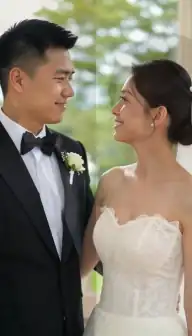
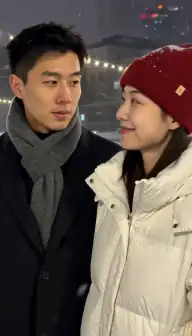
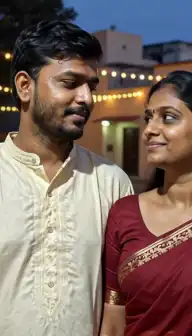
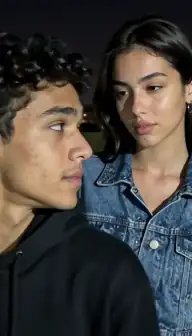
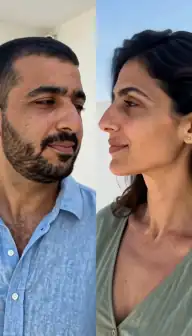
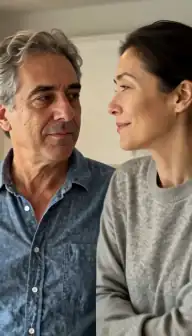
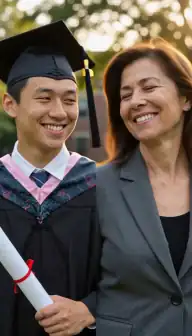
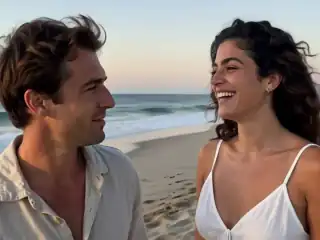
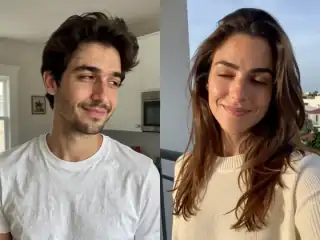
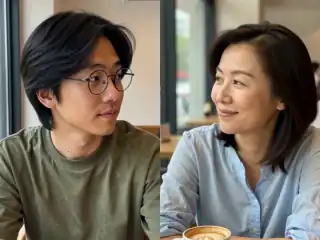
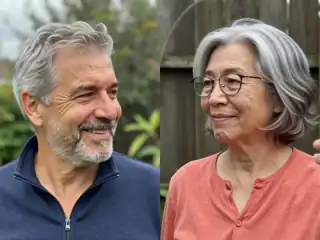
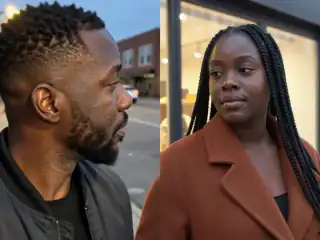
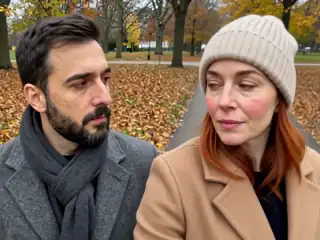
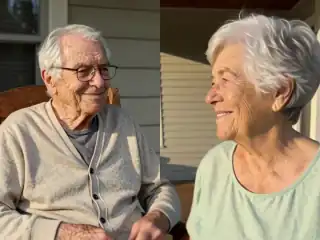
No account
No sign-up, no email, no password.
Photos stay yours
Used for your clip, then deleted.
Stripe checkout
Card details never reach us.
One-time payment
No subscription, nothing renews.
How it works
From two photos to a clip of 5, 10 or 15 seconds
Three steps in the browser. Generation usually takes under a minute.
- Step 1
Start from the best file you have
Not the most sentimental photo: the sharpest one. Original camera files beat screenshots, and screenshots beat anything that has been through a messaging app twice.
- Step 2
Frame head and shoulders
Close enough that the face fills a good part of the frame, wide enough that the shoulders are in it. That is the range where both the likeness and the motion work.
- Step 3
Match the two photos to each other
Similar brightness, similar distance, similar sharpness. Two photos that disagree produce a clip that reads as a collage no matter how good each one is.
- Step 4
Generate, then judge the face first
If the likeness is off, change the photo rather than the tool. If the generation fails outright, every credit comes back automatically and the retry costs nothing.
Details
Photo requirements
Most failed generations come down to the source photos, not the model. These are the ones that matter.
- A face that is sharp at full size. Zoom in before you upload: if it is soft on your screen, it will be soft in the clip.
- Front-facing, or close to it. A strict side profile forces the model to invent the far half of the face.
- Even light on the face. Hard shadow across one eye is one of the most reliable ways to lose a likeness.
- Eyes visible. No sunglasses, no heavy hair across the face, no squint into the sun.
- No heavy beauty filters or skin smoothing. Whatever the filter removed cannot be animated back.
- Head and shoulders framing, not a tight crop to the face and not a full-body shot.
- Two photos that match each other on brightness, distance and image quality.
What the model is actually working from
Your two photos are combined into one image before anything is generated, and that single image is all the model ever sees of you. It is not looking anyone up, and it has no second reference to check itself against. Every frame after the first is predicted from those pixels, which is why the resolution, sharpness and angle of the source photo set a hard ceiling on how much you can recognise the result.
That ceiling gets lower as the clip goes on. Image-to-video models hold a face together confidently for a few seconds and then start to drift, so the beginning of a clip typically looks more like you than the end of it. If likeness is the thing you care about most, a 5-second clip is the safer choice than a 15-second one, even though the longer option exists.
The other quiet destroyer is compression. A photo that has been sent through a messaging app, screenshotted, re-sent and saved again has lost exactly the fine detail around the eyes and mouth that makes a face read as a specific person. Go back to the original file if you have it. The full flow is on the how it works page.
What reviewers of other apps report
This is not a problem with one tool. When we read 1,043 one- and two-star App Store reviews across 52 AI photo and video apps on 13 September 2026, "it looks nothing like me" was the widest-spread quality complaint in the entire corpus: 123 reviews, across eighteen separate apps in the kiss and hug niche alone. The quotes below are verbatim, as complaints made on a date rather than claims about what any app does today.
"Very limited and when you use photos of yourself the video issued looks nothing like you" · "Looks nothing like me", which was one reviewer's entire review · "It just changes stuff just a bit but it looks nothing like us" · "You'll never look like yourself when the result comes out." · "the face is all distorted" · "After that, it started doing weird stuff that didn't look like me."
Two things are worth noticing about that list. It spans expensive tools and cheap ones, big apps and tiny ones, which is the tell that the cause is not the brand. And almost none of the reviews mention what was uploaded, which is the one variable that would have explained most of them.
The five things that change the outcome most
In rough order of how much difference they make, and all five are decided before you press generate.
- Sharpness at full size. Open the photo and zoom to 100%. If the eyelashes and lip edges are mush, the clip will be too. A small sharp photo beats a large soft one every time.
- Angle. Front-on or a slight three-quarter turn. A strict profile means half the face has to be invented, and that half is what people notice.
- Light on the face. Flat, even light. Strong shadow across one side, backlight from a window, and coloured club lighting all remove the structure the model reads a face from.
- Filters and smoothing. Beauty filters delete pores, fine lines and shadow detail. Those are a large part of why a face reads as that particular person, and the model cannot put them back.
- Agreement between the two photos. Two images at different brightness, distance or era make the model reconcile them, and the reconciliation is where faces drift. Crop and correct them to match before uploading.
Photo problems, and what each one does to the clip
The same handful of source-photo problems produce the same handful of complaints. This is the lookup table.
| In the photo | In the video | What to do |
|---|---|---|
| Soft or low-resolution face | Features slide and the person reads as generic | Find the original file, or a different photo entirely |
| Strict side profile | The far side of the face is invented and looks wrong | Use a front-on or slight three-quarter shot |
| Sunglasses or shadow over the eyes | Eyes are guessed; the result feels like a stranger | Pick a photo where both eyes are clearly visible |
| Heavy beauty filter | Waxy skin that does not move like skin | Use the unfiltered original if one exists |
| Tight crop to the face only | No shoulders for the model to build a pose from | Re-crop wider: head to mid-chest |
| Group photo with three or more people | The model is unsure who is kissing whom | Crop to the two people first |
| Two photos from different decades or lighting | The clip reads as a collage rather than one moment | Match brightness and distance, or pick a closer pair |
| Motion blur from the original shot | Blur is amplified across every frame | Any still, in-focus photo beats a blurry recent one |
What we do not promise
No accuracy guarantee, from us or from anyone selling this kind of tool honestly. Image-to-video models drift, hands and arms are hard, and the same pair of photographs can produce a clip you love and a clip you delete. Anyone promising a guaranteed likeness is describing something the technology does not currently do.
What is actually guaranteed here is narrower and checkable. If a generation fails — an error, a job that never completes — every credit it cost returns to your balance automatically, for any length, without you having to ask. That covers failure, not disappointment: a clip that generates successfully but is not flattering has been generated, and the credits for it are spent, the same as on every other tool.
Which is why the examples page shows the two ordinary photographs underneath each clip. You can see the input quality that produced each result before you spend anything, rather than judging the tool on a marketing render made from a studio portrait.
If the first clip missed
Change one thing, not everything. The usual winning change is a different source photo of the same person: sharper, more front-on, better lit. People tend to reach for a different style or a different aspect ratio first, and neither of those touches the likeness.
If both photos are already the best you have, drop to a 5-second clip. Less time on screen means less room for drift, and the opening seconds are consistently the strongest part of any generation.
And if the photo you want to use is a scan of an old print, scan it again rather than photographing it: flat, in good light, no glare across the face, at the highest resolution your scanner offers. Old photos are the most common source of both the best and the worst results on this site, and the difference is almost always the scan.
Consent & safety
An AI kiss video puts two real faces in a scene that never happened. That only works if everyone in the frame is fine with it, so these rules are not optional.
Only photos you are allowed to use
Use photos of yourself, or of people who agreed to appear in the video. No public figures without their consent.
No minors, ever
AI Kiss is for adults and the people they have permission to include. Photos of children are not allowed.
Nothing explicit
The generated clip is a short, PG-style kiss or hug. Sexual, hateful or harassing content is against the Terms.
Your files, your call
Photos are uploaded to generate the clip and videos are stored on your anonymous account. Ask us to delete them and we will.
Full detail lives in the Terms of Service and the Privacy Policy. Deletion requests go to privacy@aikiss.app.
FAQ
Questions people actually ask
Why does my AI kiss video look nothing like me?
Does a longer clip look less like me?
Do you guarantee the result will look like us?
Are selfies or camera photos better?
Can I use a photo of someone wearing glasses?
Will a better tool fix it?
Does the app edit or retouch my photos first?
Keep reading
Related pages
Other tools
From the blog
- AI Kiss Photo Requirements: Why Generations FailFace size, angle, lighting, resolution, glasses and group shots decide whether an AI kiss video works. What to look for, why it matters, and a checklist.
- What Is an AI Kiss Video? A Plain ExplanationAn AI kiss video animates two still photos into a short clip of two people kissing. Here is how the models work, what the output looks like, and where it fails.
- How to Create an AI Kiss Video: A Step-by-Step GuideA walkthrough of making an AI kiss video from two photos: choosing images, picking a mode and style, what the wait looks like, and how to fix a bad result.
Ready to try it?
Upload two photos, pick a style, and get a short clip back in under a minute.