
Eight AI kiss tools, compared only on what each one states on its own page, checked on 3 September 2026. Where a page does not say something, this page says so rather than guessing.
No sign-up · Ready in under a minute · Runs in your browser
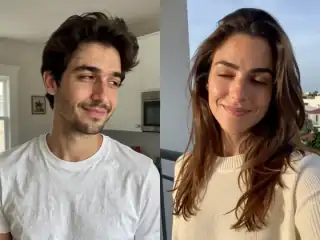
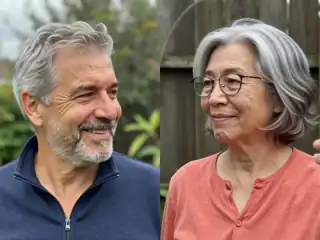
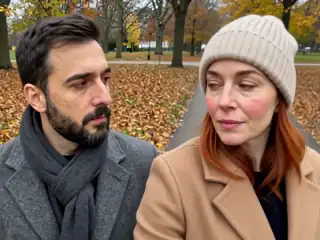
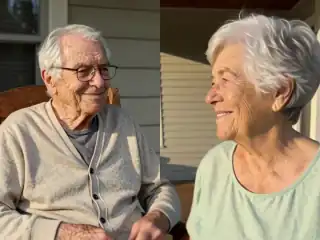
Sample AI Kiss output clip, looping. Tap the speaker to hear the sound it was generated with.
What you get
- Clip length
- 5, 10 or 15 s
- Format
- MP4
- Typical wait
- Under a minute
- Sound
- Included in the MP4
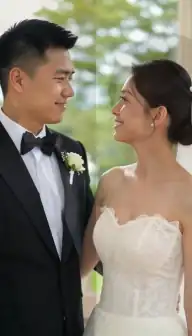


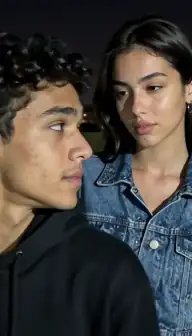
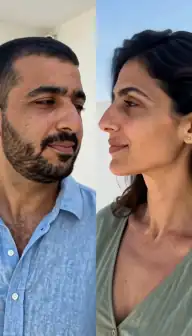
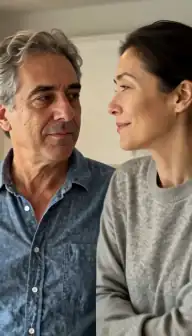




No account
No sign-up, no email, no password.
Photos stay yours
Used for your clip, then deleted.
Stripe checkout
Card details never reach us.
One-time payment
No subscription, nothing renews.
How it works
From two photos to a clip of 5, 10 or 15 seconds
Three steps in the browser. Generation usually takes under a minute.
- Step 1
Decide what you are optimising for
Zero cost, no account, watermark-free output, a mobile app, or a specific style. No tool wins on all of them, so pick the one that matters to you.
- Step 2
Check the free tier terms
Most free kiss tools run on daily or monthly credits unlocked by registering. Read what their page says about watermarks before you commit any photos.
- Step 3
Try one clip before deciding
Output quality depends far more on your photos than on the brand. Run the same pair of photos through your shortlist and compare the actual results.
Details
Photo requirements
Most failed generations come down to the source photos, not the model. These are the ones that matter.
- Two photos with one clear face each, or a single photo containing both people.
- Front-facing, sharp, evenly lit faces with the eyes and mouth visible.
- JPG, PNG or WebP files. Most tools on this page accept the same formats.
- Two photos that match each other on brightness, distance and image quality.
- Photos you own, of adults who agreed. No minors and no public figures without consent.
How this comparison was made
Every row below comes from the tool's own AI kiss page, read on 3 September 2026. Nothing was taken from review sites, affiliate roundups or press releases, because those are where invented pricing and invented feature lists come from. Where a page does not state something, the table says Not stated on their page instead of filling the gap with a guess.
Two pages had moved by the time we checked, which is worth recording rather than hiding. Clipfly's AI kissing video generator URL now redirects to their general AI video generator page, and the Pollo AI kiss effect URL now loads their general Fun AI Video Effects gallery. Both companies still market video generation broadly; a dedicated, reachable AI kiss page was not there on the day we looked.
Prices are the other place this page stays quiet. Several tools link to a pricing page from their kiss page without showing a number on the kiss page itself, and subscription pricing changes often, so no figure is repeated here that was not printed on the page in question.
Platform and pricing at a glance
The first practical question is where the tool runs and what it says about money. Every tool here is usable from a browser; three of them also point you at a mobile app. Only one states a per-video price on its own page.
| Tool | Runs where | Pricing shown on their page |
|---|---|---|
| Vidu | Web; their page mentions creating videos on your phone | "Free to use" with "dozens of monthly credits". No prices on the page |
| Fotor | "Works on both desktop and mobile devices", plus a Fotor app | "Free trials and credit reward plan". Prices on a separate page |
| EaseMate | Web, with an app download offered | "30 free credits each day" plus an Upgrade link. No prices shown |
| Pollo | Web, with an app download offered | Not stated on the page we reached; a Pricing link and a subscriber banner are present |
| Clipfly | Web | "Free credits without watermarks" and "Commercial Use Free". No prices on the page |
| Vidnoz | Web | "Generate 1 free AI kissing video for free every day", with an Upgrade Now link. No prices shown |
| DreamFace | "Try on Web", "iOS App", "Android App" | Not stated on their page |
| AI Kiss | Web on iPhone, Android and desktop. Nothing to install | One payment per video, no subscription |
Accounts, credits and what you upload
The second question is what the tool asks for before it will make anything. This is where the free options differ most from each other, and it is the detail that decides whether a free tier is actually free for you.
Read that table as a trade rather than a scoreboard. A daily free credit is a genuinely good deal if you want one clip and do not mind registering. A flat per-video price is a good deal if you would rather not create an account at all. Neither is a trick.
| Tool | Account | What you upload |
|---|---|---|
| Vidu | Not stated on their page | "A photo of two people or two individual photos with the same aspect ratio" |
| Fotor | Their page gives free credits to "every newly registered account" | Images and videos as references; count not stated on their page |
| EaseMate | "Once you log in" | "One image that contains two persons", or a text description instead |
| Pollo | Login and Start for Free links in the header | Not stated on the page we reached |
| Clipfly | Sign In in their navigation | Not stated on the page we reached |
| Vidnoz | A credit balance and login are shown on the page | "The image must be a photo of 2 people"; JPG, PNG and WEBP |
| DreamFace | Not stated on their page | "Upload a Clear Couple Photo" |
| AI Kiss | None. Anonymous session, no email address | Two photos with one face each, or one photo with both people |
What each one is good at
Vidu publishes several distinct kiss templates, including a French kiss and an air kiss, and states plainly that output is MP4 and that both a two-person photo and two separate photos are accepted. It also states outright that it is free with monthly credits, which is unusually direct.
Fotor is the most flexible on output. Its page offers a video duration you can set between 3 and 15 seconds, resolutions up to 4K and three aspect ratios, which is more control than anything else on this list. If the clip length matters to you, that is a real advantage.
EaseMate is the clearest about its free tier: 30 credits a day, roughly two kiss videos, after logging in. It also lists the accepted file types and a 20MB limit, and offers a text-to-video route for people with no usable photo.
Vidnoz offers one free kissing video per day without complicated maths, and states its photo requirement bluntly: the image must contain two people. DreamFace lists nine kiss variations, including French kiss, blow kiss and peck, and is the only tool here whose page advertises native iOS and Android apps alongside the web version. Pollo and Clipfly are both broad AI video platforms with large model line-ups rather than kiss specialists, which is presumably why their kiss-specific pages have folded into their general video tools.
Where AI Kiss fits
AI Kiss is the odd one out on this page because it has no free tier and no account. Every generation is charged once, with no subscription, no plan and no email address collected; the figure is on the pricing page. In exchange there is nothing to register for, nothing to cancel, no watermark on the output and no upsell after you download.
The rest is deliberately narrow. Two photos, or one photo with two people. Fifteen styles plus a custom prompt, of which Kiss, French kiss and Hug are the ones most people use. Two aspect ratios, 4:3 and 9:16. One clip of 5, 10 or 15 seconds as an MP4 with sound, usually ready in under a minute. If a generation fails, the credit returns automatically. It runs in the browser on iPhone, Android and desktop with nothing to install.
So the honest positioning is this: if your goal is a zero-cost clip and you do not mind an account, several tools above will serve you better. If your goal is to upload two photos, pay once and leave without a plan or an inbox subscription attached to your name, that is what this one is for. The no-login page spells out exactly what is and is not free here.
What none of them can do
No tool on this list can rescue a bad photo. Every one of them animates the detail that is already in your image, so blurry faces stay blurry, strict side profiles produce distorted features because the far side of the face has to be invented, and group photos with three or more people leave it ambiguous who is supposed to kiss whom. Crop to two faces before you upload anywhere.
None of them blends mismatched sources well either. A bright daylight portrait next to a dim indoor snapshot will read as two pictures in every tool here, because the lighting difference survives into the animation. That single factor will do more for your result than choosing between these brands.
And none of them changes the rules about whose face you may use. Own photos, adults only, consent from everyone in the frame, no minors, no public figures. That is the line here, and it is worth applying wherever you generate. The privacy and safety guide goes into what that means in practice, and AI kiss vs traditional editing covers when none of these tools is the right answer at all.
One by one
Every comparison in full
Each page lists what the other tool states on its own site, the date we checked it, and a link back to the source.
- Vidu vs AI KissVidu runs a free AI kissing generator with monthly credits and several kiss templates.Read the comparison
- Fotor vs AI KissFotor's AI kiss page sits inside a broad AI video generator with adjustable duration and resolution.Read the comparison
- EaseMate vs AI KissEaseMate publishes the clearest free tier of any tool we checked: 30 credits a day after you log in, which their page says is about two kiss videos.Read the comparison
- Pollo AI vs AI KissPollo AI is a broad AI video platform rather than a kiss specialist.Read the comparison
- Clipfly vs AI KissClipfly is a general AI video platform.Read the comparison
- Vidnoz vs AI KissVidnoz gives one free AI kissing video a day and ties watermark-free output to upgrading.Read the comparison
- DreamFace vs AI KissDreamFace lists nine kiss variations and offers native iOS and Android apps alongside the web version.Read the comparison
- Flux1 AI vs AI KissFlux1 AI is a multi-model web studio whose kissing generator gives newly registered users 10 free credits, which their page says is exactly one free kiss video.Read the comparison
- DomoAI vs AI KissDomoAI is a broad AI video platform whose kiss template also animates drawings and anime characters, and it states a free plan with credits.Read the comparison
- AIReel vs AI KissAIReel has the deepest preset library of any kiss tool we have checked, 28 named kiss scenes, and states a free trial of 200 credits.Read the comparison
- MagicShot vs AI KissMagicShot's Kissing Booth is one tool inside a large subscription suite with published monthly prices and an iPhone app.Read the comparison
- AIKissfiy vs AI KissAIKissfiy, the site people often search for as aikissfly or aikissfy, is a free-to-start web kiss generator with seventeen kiss styles whose generator defaults to a four-second clip at 540P.Read the comparison
- Vireel vs AI KissVireel, whose site also writes itself as Vireels, offers kiss clips of 5, 10 or 15 seconds with sound, daily free credits and fourteen site languages.Read the comparison
Consent & safety
An AI kiss video puts two real faces in a scene that never happened. That only works if everyone in the frame is fine with it, so these rules are not optional.
Only photos you are allowed to use
Use photos of yourself, or of people who agreed to appear in the video. No public figures without their consent.
No minors, ever
AI Kiss is for adults and the people they have permission to include. Photos of children are not allowed.
Nothing explicit
The generated clip is a short, PG-style kiss or hug. Sexual, hateful or harassing content is against the Terms.
Your files, your call
Photos are uploaded to generate the clip and videos are stored on your anonymous account. Ask us to delete them and we will.
Full detail lives in the Terms of Service and the Privacy Policy. Deletion requests go to privacy@aikiss.app.
FAQ
Questions people actually ask
Which AI kiss video generator is the best?
Is Vidu's AI kiss generator free?
How many free videos does EaseMate give you?
Do free AI kiss generators add a watermark?
Why is there no Pollo or Clipfly AI kiss page listed?
Does a more expensive tool make better kiss videos?
What does AI Kiss cost compared with the others?
Keep reading
Related pages
Other tools
From the blog
- AI Kiss Videos vs Traditional Video EditingAn honest comparison of generating a kiss clip from photos versus editing one by hand: time, cost, skill, control, realism, and when an editor still wins.
- What Is an AI Kiss Video? A Plain ExplanationAn AI kiss video animates two still photos into a short clip of two people kissing. Here is how the models work, what the output looks like, and where it fails.
- How to Create an AI Kiss Video: A Step-by-Step GuideA walkthrough of making an AI kiss video from two photos: choosing images, picking a mode and style, what the wait looks like, and how to fix a bad result.
Ready to try it?
Upload two photos, pick a style, and get a short clip back in under a minute.