
AI Kiss does not ask for an account, an email address or a monthly plan. You upload two photos, pick 5, 10 or 15 seconds, and get an MP4 with sound, usually in under a minute.
No sign-up · Ready in under a minute · Runs in your browser
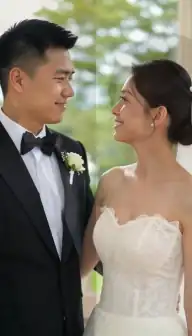
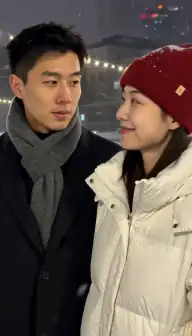
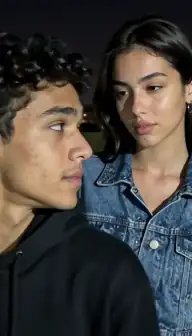
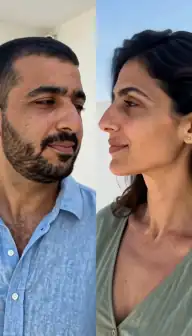
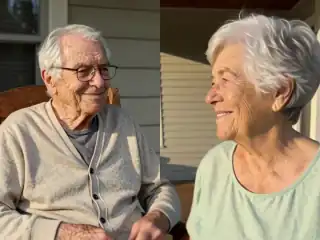
Sample AI Kiss output clip, looping. Tap the speaker to hear the sound it was generated with.
What you get
- Clip length
- 5, 10 or 15 s
- Format
- MP4
- Typical wait
- Under a minute
- Sound
- Included in the MP4

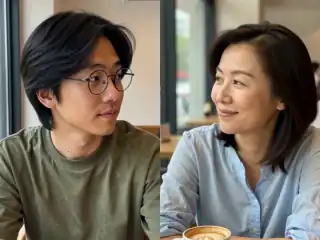
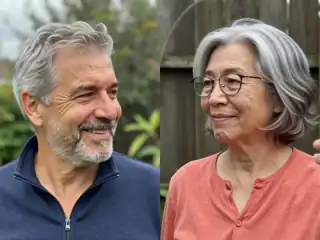
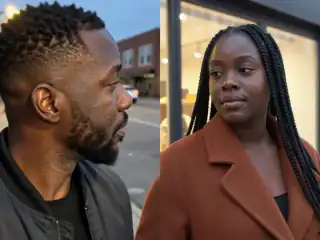
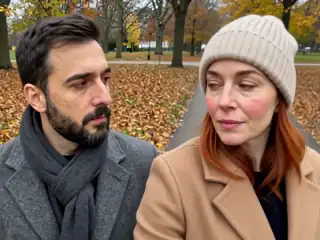
No account
No sign-up, no email, no password.
Photos stay yours
Used for your clip, then deleted.
Stripe checkout
Card details never reach us.
One-time payment
No subscription, nothing renews.
How it works
From two photos to a clip of 5, 10 or 15 seconds
Three steps in the browser. Generation usually takes under a minute.
- Step 1
Open the app, skip the sign-up
Load the app in any browser. There is no registration form and no email confirmation. An anonymous session is created for you in the background.
- Step 2
Upload your photos
Add one photo per person, or a single photo containing both people, then choose 4:3 or 9:16 and pick the Kiss style.
- Step 3
Pay once for that video
Pay for the one video you want with Apple Pay, Google Pay or a card. No plan is created, nothing renews and there is nothing to cancel later.
- Step 4
Download the MP4
The clip appears under My videos in under a minute. Download it or share it directly. If the render fails, the credit comes back automatically.
Details
Photo requirements
Most failed generations come down to the source photos, not the model. These are the ones that matter.
- Two photos with one face each, or one photo showing both people clearly.
- Front-facing faces with open eyes and nothing covering the mouth or jaw.
- Reasonably bright, even light. Backlit and very dark photos lose facial detail.
- JPG, PNG or WebP, sharp rather than blurry or heavily compressed.
- Photos you own, of adults who agreed. No minors and no public figures without consent.
What is actually free here, and what is not
Being straight about it: the video itself is not free. Each generation is paid for once, and the figure is on the pricing page. What is free is everything people usually mean when they search for a free kiss generator without login: there is no account to create, no email address to hand over, no password, no free trial that quietly turns into a charge, and no subscription running in the background.
That matters because most searches for a free AI kiss video generator are really searches for no friction. You want the clip, not a signup funnel, a verification email and a plan you have to remember to cancel. AI Kiss removes all of that and charges a flat price per video instead, stated in full on the pricing page before you upload anything.
There is one more piece of honesty worth stating: if a generation fails, the credit is returned to your balance automatically. You pay for videos that come out, not for renders that break.
How the free tiers on other tools actually work
Free AI kiss tools do exist, and they are worth understanding rather than dismissing. Almost all of them run on a daily or monthly credit allowance that you unlock by making an account, and several tie watermark-free output to a paid upgrade. These are the terms each tool stated on its own page when we checked on 3 September 2026:
None of that is a trick. A daily free credit is a perfectly good deal if you only want one clip and do not mind creating an account. The trade you are actually making is an account, an email address and a queue in exchange for not paying. If that trade suits you, take it. The full comparison lays out each tool with the source page we read.
| Tool | What their page says about free use | Account |
|---|---|---|
| Vidnoz | "Generate 1 free AI kissing video for free every day"; watermark-free output tied to upgrading | Credit balance and login shown on the page |
| EaseMate | "You'll receive 30 free credits each day, allowing you to create 2 kiss videos with AI" | "Once you log in" |
| Vidu | "The Vidu kissing video generator is free to use. Vidu provides dozens of monthly credits" | Not stated on their page |
| Fotor | "Fotor offers free trials and credit reward plan. Multiple free credits will be given to every newly registered account" | Registered account referenced |
| AI Kiss | No free tier. One payment per video, no subscription | None. Anonymous session, no email |
Why there is no free tier here
Every generation costs real GPU time, so a free tier has to be paid for somewhere. The usual answers are advertising, an email list, a watermark on your video, or an upsell funnel that starts the moment you sign up. All four of those cost you something that is not money.
The alternative is a flat, visible price with nothing attached, which is the route AI Kiss takes. One payment, one video, no data collected beyond the photos needed to make it, and no marketing emails afterwards because there is no email address on file. If the product ever does add a free first video, the copy on this site will say so plainly rather than hiding it behind a trial.
What no login actually means in practice
When you first open the app, it creates an anonymous session for your browser. That session is what holds your video library and your credit balance. Nothing about you is attached to it: no name, no email, no phone number, no social login.
The practical consequence is that your videos live in the browser session that made them. If you generate on your phone and then open the site on a laptop, the laptop starts a fresh session and will not show the phone's library. So download the MP4 when it is ready rather than relying on the library being there later, and use the same browser if you want to come back to it.
Payment goes through Stripe with Apple Pay, Google Pay or a card, which means your card details never reach this site. A card charge does not create an account either.
Getting a usable clip on the first try
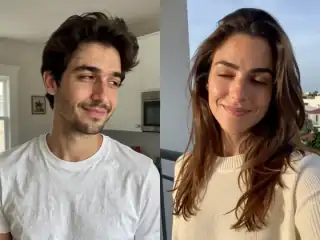
Since there is no free retry, the photos are worth two minutes of thought. Use pictures where both faces are lit from the front, sharp enough that you can see the eyes clearly, and roughly the same size in frame. A phone selfie taken in daylight near a window is close to ideal.
Match the two sources to each other. Two photos with similar brightness, similar camera distance and similar quality blend into one believable scene. A crisp studio portrait next to a grainy zoomed-in crop will not. If you already have a photo of both people together, use one-photo mode and let the original lighting do the work.
The photo requirements guide has the full checklist, and how it works shows what happens to your images between upload and download.
When it does not work
Blurry or low-resolution faces produce blurry results, because the model animates the detail it is given rather than inventing new detail. Side profiles are the biggest single cause of odd output: if the camera only ever saw one cheek, the model has to guess at the rest of the face. Sunglasses, masks and hands across the mouth cause the same problem in a smaller way.
Photos with three or more people are ambiguous, so crop to the two faces you want before uploading. Very different photo styles, such as a black and white portrait paired with a bright modern selfie, tend to give a clip that reads as two images stitched together rather than one scene.
If a render fails, the credit is refunded automatically and you can retry with different photos at no extra cost.
Consent & safety
An AI kiss video puts two real faces in a scene that never happened. That only works if everyone in the frame is fine with it, so these rules are not optional.
Only photos you are allowed to use
Use photos of yourself, or of people who agreed to appear in the video. No public figures without their consent.
No minors, ever
AI Kiss is for adults and the people they have permission to include. Photos of children are not allowed.
Nothing explicit
The generated clip is a short, PG-style kiss or hug. Sexual, hateful or harassing content is against the Terms.
Your files, your call
Photos are uploaded to generate the clip and videos are stored on your anonymous account. Ask us to delete them and we will.
Full detail lives in the Terms of Service and the Privacy Policy. Deletion requests go to privacy@aikiss.app.
FAQ
Questions people actually ask
Is this AI kiss video generator really free?
Can I use it without login or sign-up?
Will there be a watermark on my video?
Do I get charged again next month?
What happens if the video fails to generate?
How long is the free without login version of the clip?
Can I try it before paying anything?
Keep reading
Related pages
Other tools
From the blog
- How to Create an AI Kiss Video: A Step-by-Step GuideA walkthrough of making an AI kiss video from two photos: choosing images, picking a mode and style, what the wait looks like, and how to fix a bad result.
- AI Kiss Photo Requirements: Why Generations FailFace size, angle, lighting, resolution, glasses and group shots decide whether an AI kiss video works. What to look for, why it matters, and a checklist.
- AI Kiss Privacy and Safety: What Happens to Your PhotosWhere your uploads go, what the Privacy Policy says about keeping them, how to ask for deletion, and the consent rules that decide whose face you may animate.
Ready to try it?
Upload two photos, pick a style, and get a short clip back in under a minute.