
Two photos go in, one keyframe is built in your browser, and a model animates it into a kiss clip of 5, 10 or 15 seconds. Here is what happens at each stage and what makes the difference between a clip that works and one that does not.
No sign-up · Ready in under a minute · Runs in your browser
Sample AI Kiss output clip, looping. Tap the speaker to hear the sound it was generated with.
What you get
- Clip length
- 5, 10 or 15 s
- Format
- MP4
- Typical wait
- Under a minute
- Sound
- Included in the MP4
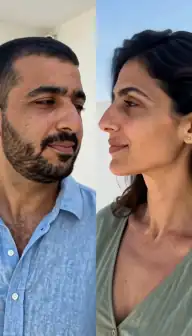
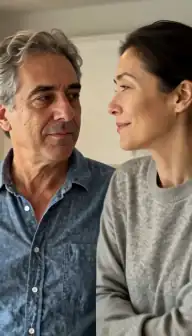
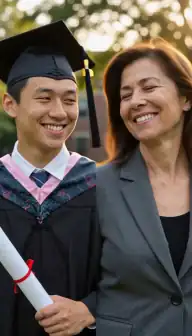
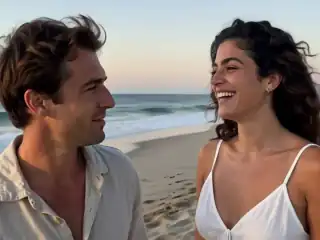
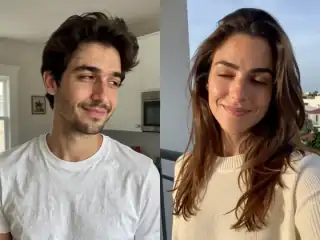
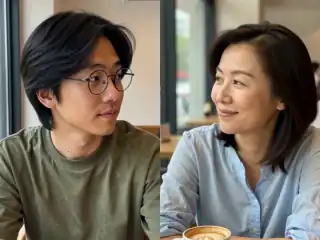
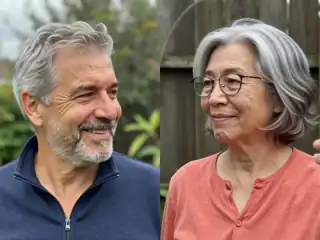
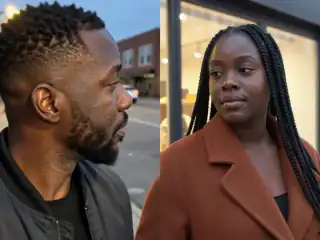
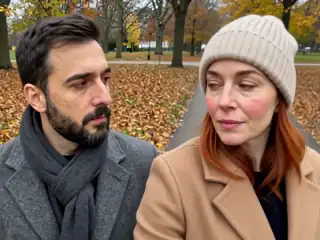
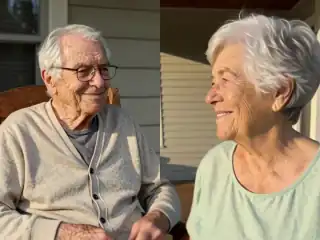
No account
No sign-up, no email, no password.
Photos stay yours
Used for your clip, then deleted.
Stripe checkout
Card details never reach us.
One-time payment
No subscription, nothing renews.
How it works
From two photos to a clip of 5, 10 or 15 seconds
Three steps in the browser. Generation usually takes under a minute.
- Step 1
Choose a mode and add photos
Two photos with one person in each, or one photo that already contains both people. The app previews each one so you can swap before going further.
- Step 2
Set the frame and the style
Pick 4:3 or 9:16, then choose Kiss, French kiss or Hug. Your browser resizes both photos and composes them into a single keyframe image.
- Step 3
Generate
The keyframe is uploaded and queued. A model animates it into a clip of the length you chose: 5, 10 or 15 seconds. The app checks on the job every few seconds while you wait.
- Step 4
Download the result
The finished MP4 appears under My videos, usually in under a minute. Play it, download it, or share it. Failed jobs refund the credit and can be retried.
Details
Photo requirements
Most failed generations come down to the source photos, not the model. These are the ones that matter.
- One face per photo in two-photo mode, or a single photo with both faces visible.
- Front-facing or slightly angled heads. Strict side profiles are the main cause of odd results.
- Even light on the face, with the eyes and mouth clearly visible and unobstructed.
- JPG, PNG or WebP, in focus and not heavily filtered, upscaled or compressed.
- Two photos that look like each other: similar brightness, distance and sharpness.
- Photos you own, of adults who agreed. No minors, no public figures without consent.
The short version
You give the app two faces and it gives you back a short video of those two people kissing. There is no timeline, no editing and no prompt to write: choose photos, choose a frame, choose a style, press generate, download an MP4.
The part worth understanding is the middle. AI Kiss does not animate your two photos separately and stitch them together. It first builds one single image containing both people, and then animates that image. Once you know that, most of the advice about which photos to use stops being arbitrary and starts making sense.
Step one: what happens to your photos in the browser
When you add a photo, the app reads it on your device rather than uploading it immediately. It fixes the rotation, because phone photos carry orientation data that would otherwise turn a portrait sideways, and it scales the image down so the longest edge is at most about 1600 pixels. That is plenty of detail for a 720p clip and it keeps the upload small.
Then it composes the keyframe on a canvas. In two-photo mode the frame is split down the middle and each photo is fitted into its half, cropped to fill rather than squashed. In one-photo mode your picture fills the whole frame. The result is one JPEG: two people side by side in a single image, which is the scene the model is asked to animate. That composed image is the only thing uploaded, and both of your originals stay on your device.
Step two: how the AI makes them kiss
The keyframe is sent to the generation service with the style you picked, and it is queued. The model treats the keyframe as the first frame of a scene and predicts what happens next: heads turning, the distance closing, a kiss, a small settle. The style you chose is the instruction that shapes that motion, so Kiss produces a normal closed-mouth kiss, French kiss a deeper and slower one, and Hug an embrace instead.
Everything visible in the clip comes from your keyframe. The faces, the clothes, the backgrounds behind each person. The model is not fetching a stock couple and pasting your faces onto it; it is moving the pixels it was given. This is why two photos with matching light look like one scene and two mismatched photos look like a collage that has learned to move.
While it runs, the app checks the job every few seconds and shows the status on the My videos screen. You do not have to keep staring at it, but you should come back in the same browser, because your library is tied to that anonymous session.
Step three: what you get back
An MP4 of 5, 10 or 15 seconds, whichever you picked before generating, at the aspect ratio you chose, with its own sound track and no watermark. Play it in the browser, download it to your camera roll or desktop, or share it straight out of the app.
Each generation costs credits, bought once, with no subscription and no account. The price follows the length: a 10-second clip costs twice a 5-second one and a 15-second clip three times. The pricing page has the current figure. If a generation fails, the credit returns to your balance automatically, so you are not charged for a broken render and you can retry from the My videos screen with the same photos or better ones.
There is no edit step afterwards. If you want a different style or a different framing, that is a new generation. Real finished clips are on the examples page if you want to see the output quality before spending anything.
The photo decisions that actually change the result
Sharpness first. The model animates the detail it is given and cannot invent what the camera never captured, so a small sharp photo beats a large blurry one every time. Motion blur, noise and heavy beauty filters all cost you.
Angle second. A face pointing at the camera, or turned at most a quarter away, gives the model both sides of the face. A strict side profile forces it to guess at the half it cannot see, and guessed faces are the ones that look wrong. Eyes and mouth should be visible: no masks, no hands across the face, no hats shading the eyes.
Consistency third, and this is the one people skip. The two photos have to belong in the same picture: similar brightness, similar distance from the camera, similar image quality. If you already have a photo of both people together, use one-photo mode. The photo requirements guide has the full checklist, and how to create AI kiss videos walks through a first attempt.
When it fails, and why
Three failure modes cover almost everything. Blurry or low-resolution faces produce blurry, smeared motion. Side profiles produce distorted features as the model invents the far side of the head. Group photos with three or more people leave it ambiguous who should kiss whom, so crop to two faces before uploading.
The fourth is subtler: mismatched sources. A crisp studio portrait next to a dim phone snapshot never merges into one believable scene, and neither does a black and white photo paired with a bright colour one, which is the common trap with old family pictures.
There are also things the tool does not do: no clip longer than 15 seconds, no editing after the render, no control over the background, and no second take of the same generation. The audio is rendered by the model with the video, so you get sound but you do not choose it. If a generation fails outright, the refund is automatic and the retry costs nothing extra.
Consent, and the photos to leave alone
Use your own photos, and photos of adults who have agreed to appear in the video. No photos of minors, ever. No celebrities or other public figures without their consent, and no pictures of strangers pulled from social media. This is in the terms.
The composed keyframe and the finished video are stored so the app can show you your library, and you can ask for them to be deleted by contacting support, which the privacy page explains. If the clip is going anywhere public, tell the other person first and say in the caption that it is AI. The privacy and safety guide goes deeper.
Consent & safety
An AI kiss video puts two real faces in a scene that never happened. That only works if everyone in the frame is fine with it, so these rules are not optional.
Only photos you are allowed to use
Use photos of yourself, or of people who agreed to appear in the video. No public figures without their consent.
No minors, ever
AI Kiss is for adults and the people they have permission to include. Photos of children are not allowed.
Nothing explicit
The generated clip is a short, PG-style kiss or hug. Sexual, hateful or harassing content is against the Terms.
Your files, your call
Photos are uploaded to generate the clip and videos are stored on your anonymous account. Ask us to delete them and we will.
Full detail lives in the Terms of Service and the Privacy Policy. Deletion requests go to privacy@aikiss.app.
FAQ
Questions people actually ask
How do you make two people kiss with AI?
Can AI make people kiss who were never photographed together?
Does it upload my original photos?
How long does it take to generate?
Do I need to write a prompt?
Why does my clip look like two photos glued together?
What does each video cost?
Keep reading
Related pages
Other tools
From the blog
- How to Create an AI Kiss Video: A Step-by-Step GuideA walkthrough of making an AI kiss video from two photos: choosing images, picking a mode and style, what the wait looks like, and how to fix a bad result.
- How to Make an AI Kissing Video From 2 PhotosThe exact two-photo workflow for making people kiss with AI: one person per photo, matching light and angle, choosing the aspect, cost, and fixing failures.
- AI Kiss Videos vs Traditional Video EditingAn honest comparison of generating a kiss clip from photos versus editing one by hand: time, cost, skill, control, realism, and when an editor still wins.
Ready to try it?
Upload two photos, pick a style, and get a short clip back in under a minute.